Content Logs (Super Admin / Regional Admin)
Content Logs is an audit view of content that has been exported after AI Review. It records each export along with the AI triggers that occurred during editing, so you can review results and analyze quality flow. It's for checking outcomes — not creating or editing content. It's at Admin → Content Logs.
Content Logs shows only your own company's export history.
The log table
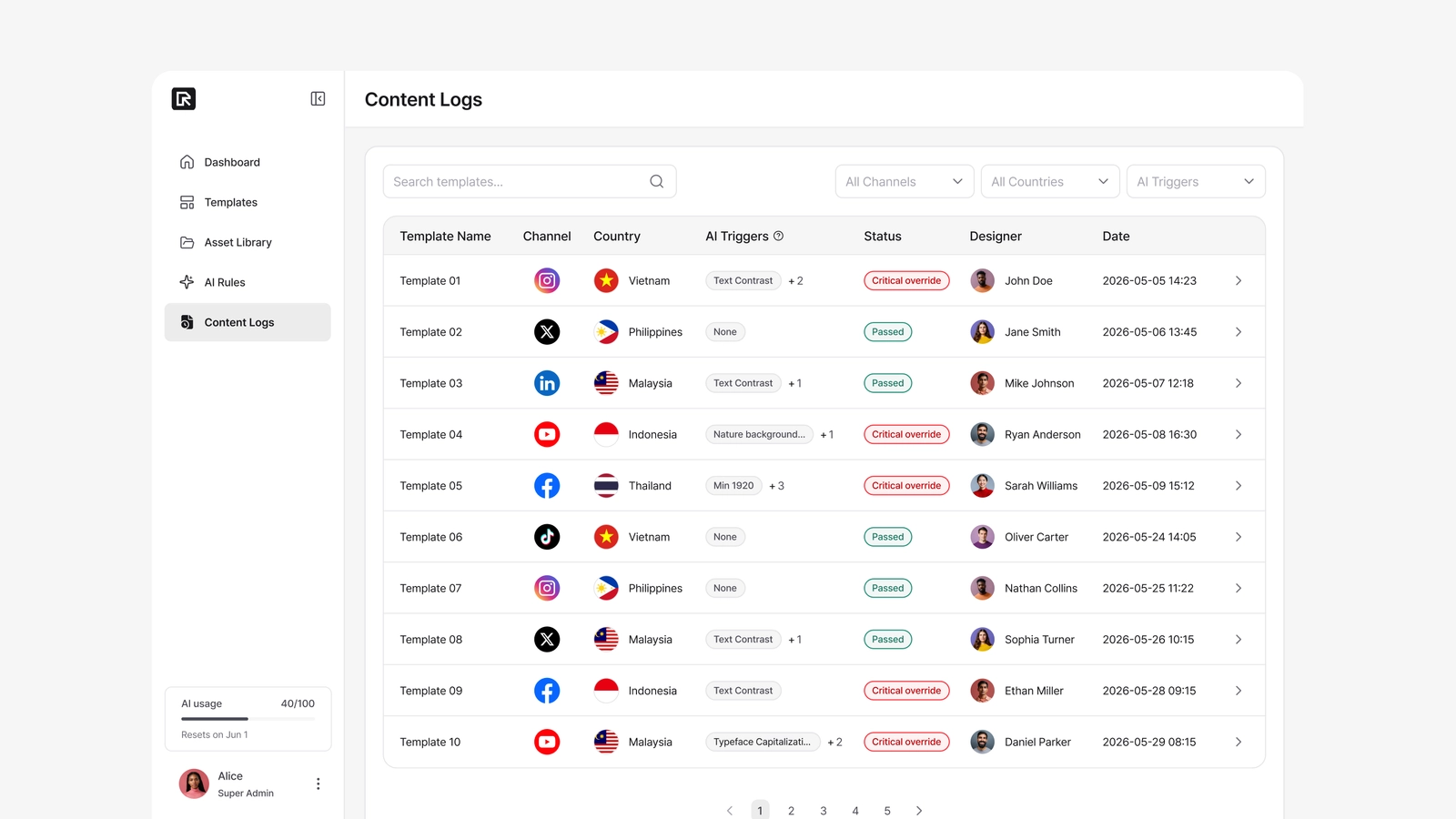
The table lists exports with these columns: Template Name → Channel → Country → AI Triggers → Designer → Date → Actions.
You can search by template name and filter by Channel, Country, and AI Triggers (All / None / With Triggers). Only successful exports are logged, so there's no export-status filter.
Reading the AI Triggers column
The AI Triggers column is a record of what was triggered during editing — not a verdict.
- None — no triggers.
- One or more — a representative rule is shown as a chip, with
+Nfor the rest. Hover the cell to see the full list (rule name × count).
Chips use a neutral color regardless of category. The column tells you whether triggers occurred and leaves the interpretation to you — it deliberately avoids pass/fail or severity coloring.
The details panel
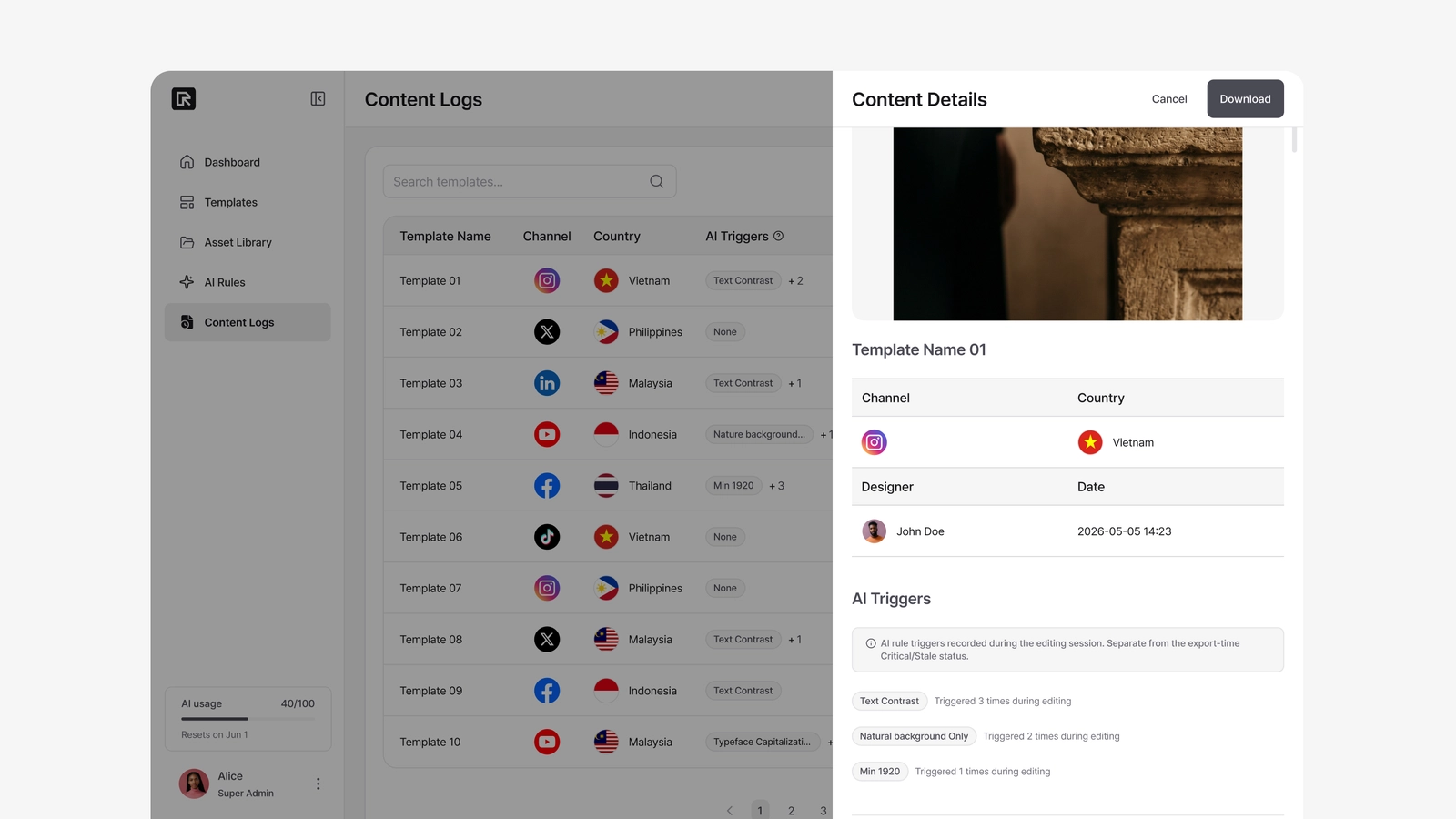
Selecting a row opens a panel on the right with:
- Content Preview — the exported image (original aspect ratio preserved).
- Metadata — Template Name, Channel, Country, Designer, Export Date.
- AI Trigger History — each triggered rule with its full name and how many times it was triggered ("Triggered X times during editing"). A clean export shows "No AI triggers recorded."
- Export ID — an internal identifier shown quietly, for reference.
- Download — provided for review and audit only; there's no editing or re-review here.
Leaving a review
Exports that bypassed a Critical rule show a Critical override chip in the Status column. Open one and you'll find a Leave a review button at the top right of the Critical Override section. Write a short note — "fine for this campaign", "please move the logo" — and save. The note goes straight to the editor who exported it: they see it at the top of their Home page and in the editor panel when they open that project, until they mark it as read or export again.
- One review per export. Once saved it can't be edited or deleted, and the button is replaced by a Reviewed chip with your note underneath.
- You can't review your own exports, and exports whose editor has left the company can't be reviewed.
- Regional Admins review only their own country's exports; Super Admins can review everything.
- Use the Status filter's Unreviewed option to see overrides nobody has looked at yet.