Dashboard (Super Admin / Regional Admin)
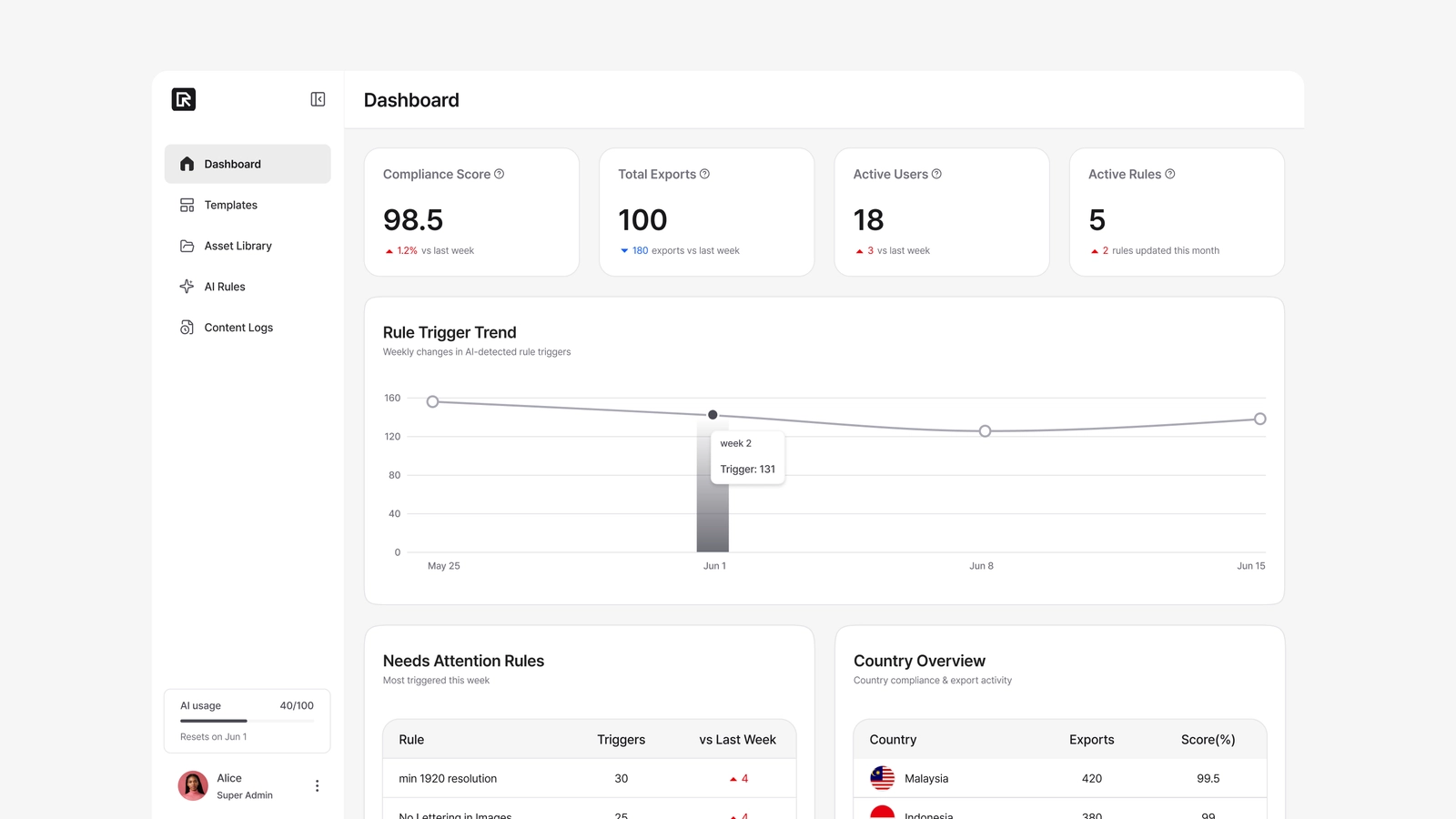
The Dashboard is a compliance-focused monitoring hub for your brand content. Built on the rule violations the AI detects, it helps you see your current content quality, how violations are trending, and where operational bottlenecks are. It's a diagnostic view for spotting issues and setting priorities — not for creating content. It's at Admin → Dashboard.
Everything on the dashboard reflects only your own company's data. Other companies' content, users, and rule triggers are never shown.
Compliance Score
Compliance Score = round(100 × passed rules / total rules)
The score is the share of evaluated rules that passed. Critical, Warning, and rule-level errors all count as non-passed and lower the score. Overridden exports are included in the average too. Every rule carries equal weight. You can view the average score by country, period, or user.
What's on the page
The dashboard has four monitoring areas:
Top KPI Cards
| Card | Meaning |
|---|---|
| Compliance Score | Average compliance score across exported content, with change vs. the previous period. Both Critical and Warning triggers reduce it. |
| Total Exports (7d) | Successful exports in the last 7 days. |
| Active Users | Users active at least once in the last 7 days. |
| Active Rules | How many AI rules are currently active. |
Rule Trigger Trend
A line chart of how many rule violations were detected per week over the last four weeks. It shows the frequency of violations over time (Critical and Warning combined), not a score — useful for spotting a spike and tracing it to a cause (a guideline change, a campaign, etc.).
Needs Attention Rules
The rules triggered most often this week, so you can quickly see which guidelines are being broken most. Each row shows the rule name, its enforcement badge (Critical / Warning), the weekly change, and the trigger count.
Country Overview
A summary table comparing quality and volume by country:
| Column | Meaning |
|---|---|
| Country | Only the operating countries you registered in Company Settings appear. |
| Exports | Successful exports in the last 7 days. |
| Score | The country's average compliance score (0–100). Countries with no exports show "—". |
Who can see what
- Super Admin — all countries, all rules, all data in the company.
- Regional Admin — data for their own country or permission scope.
Editors don't have access to the dashboard.